
Author of Science Fiction and Anticipation Novels
Author of Science Fiction and Anticipation Novels
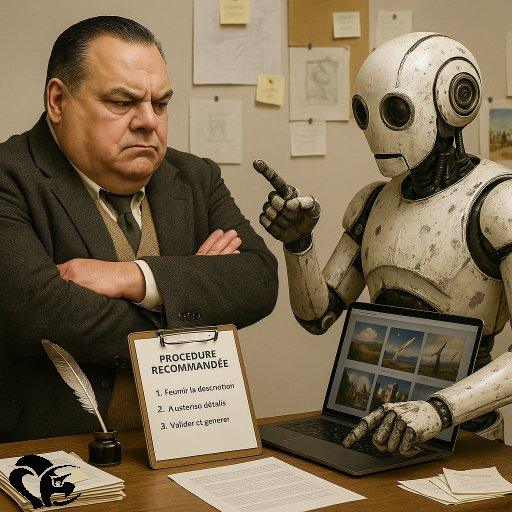
Here is the precise procedure that suggests theGenerative AI to obtain a image creation the most faithful possible to what a describes text. She maximizes the chances of getting a conforming image to what theauthor has in mind, especially when we reach the limits of language to describe some details. L'AI also explains the technical difference between generate a sketch and produce a hyperrealistic image.
In additional information, this approach provided by theAI that I use refers to the description of theextract demon text concerning the conference room.
1. Optimized procedure to guide AI
This method works with all Specialized AI in the image generation, but it is particularly adapted when we aim for a maximum loyalty to words.
Step 1 – Define the end goal
• Decide on the image type (conceptual sketch, illustration, 3D rendering, hyperrealistic photo).
• Specify the purpose : concept art to help visualize a scene, Or almost definitive visual ?
• List the mandatory elements (eg: three concentric levels, changing celestial vault, central arena).
Step 2 – Break it down into sub-steps
Rather than asking for everything at once, proceed by layers :
Step 3 – Use clear, hierarchical wording
• Start with themain element (e.g., “monumental circular conference room with three concentric levels”).
• Add the secondary details (leather tables, stairs, central arena).
• Finally, specify the visual style (“photographic hyperrealism, soft light, wide-angle lens”).
• Avoid piling up contradictory adjectives ; one word too many can disturb theAI.
Step 4 – Iterate intelligently
• After each generation, note what works and what drifts.
• Correct by negation (“without a fourth row of tables”, “without additional characters”).
• Repeat the same conversation thread to preserve the memory, but launch a new prompt if theAI gets stuck in repetitive errors.
Step 5 – Lock the composition
Once thestructural image validated:
• Ask for the same one again scene in high resolution (1024×1024 or higher).
• Add the finishes (“realistic textures, patinated leather, metallic reflections”).
• For an almost photographic, mention “photorealistic, 8k, ultra-detailed, cinematic lighting” (or French equivalents, but English is often better understood).
2. Difference between sketching and hyperrealism
Sketch (concept art)
• Aim : establish the general idea, the volumes, the composition.
• Advantage : L'AI can improvise and be creative ; the blur is not bothersome.
• Consumption : fast, inexpensive in computation.
• Possible to request simple lines, a “hand drawing”, “sketch”, “minimalist concept art” style.
Hyperrealistic image
• Aim : rendered almost photographic, fine textures, precise shadows.
• Inconvenience : every poorly described detail can be misinterpreted (anatomical errors, added or missing objects).
• Request more precision and moreiterations to correct the inconsistencies.
• There light and the point of view (high angle, low angle, wide angle) become crucial to avoid flat results.
3. My strategic advice
Always start with a conceptual sketch, validate the composition, then go up in loyalty towards thehyperrealism. Wanting a direct perfect photo often leads to frustrations, because theuser has not yet locked the basic elements.